Identify when you want to
Take or choose a photo for a likely species suggestion. You can correct or change the species before recording your catch. A suggestion, never a guarantee.
 CatchIDGet the Android app
Your fishing. Remembered.
Keep your fishing history in one place. Record catches, add the details that matter and revisit the fish you want to remember — with or without a photo.

Currently free on Android No adverts No subscription
Inside your fishing journalEvery catch has a story.
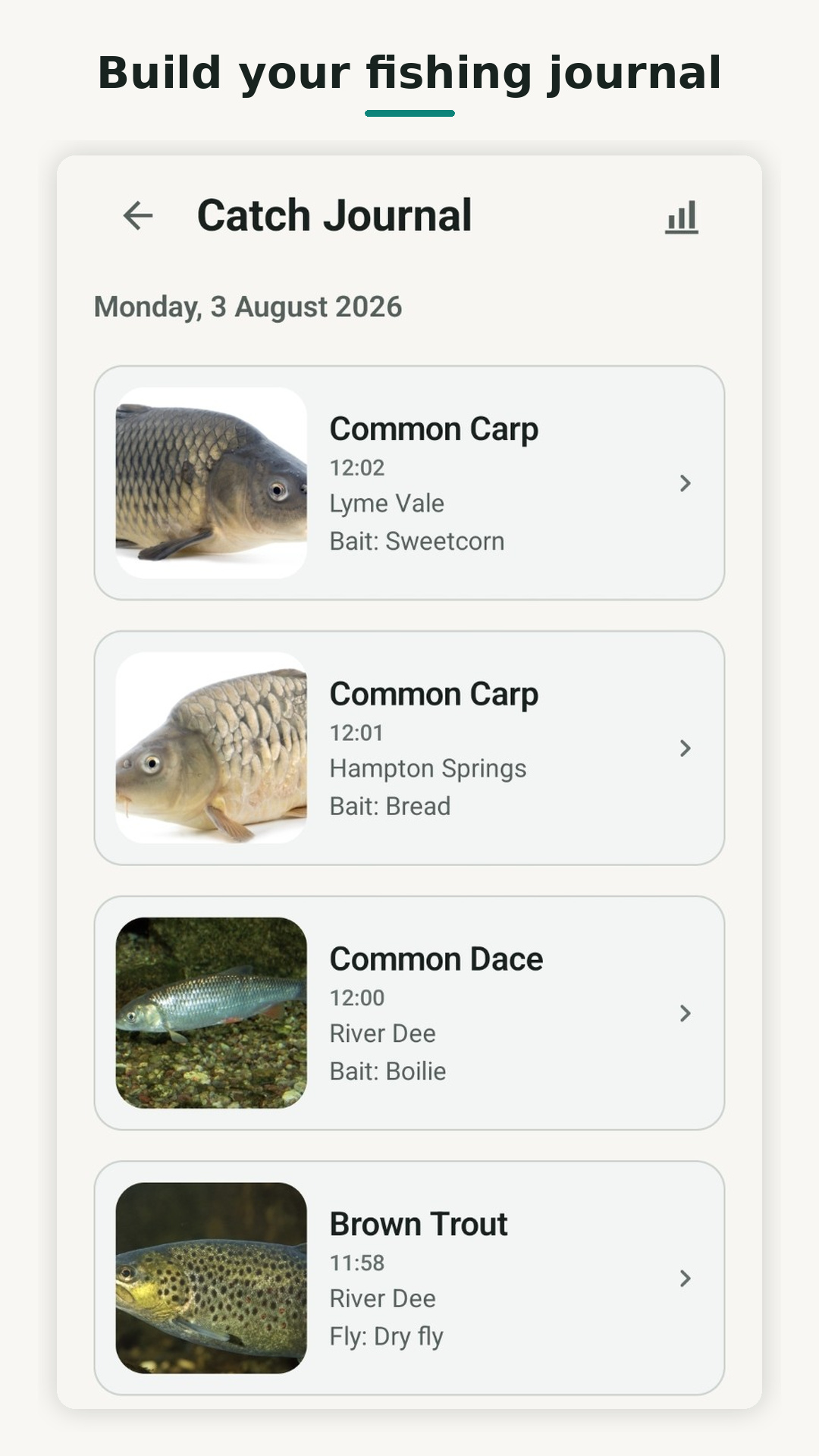
The details, together
A fishing logbook is more useful when the details sit beside the fish. Catch Journal keeps them together, ready to look back on.
Journal Protection is optional and uses Google sign-in. When protection is up to date, your protected catch records and backed-up catch photos can be restored using the same Google account. You can keep recording catches without signing in.
From records to perspective
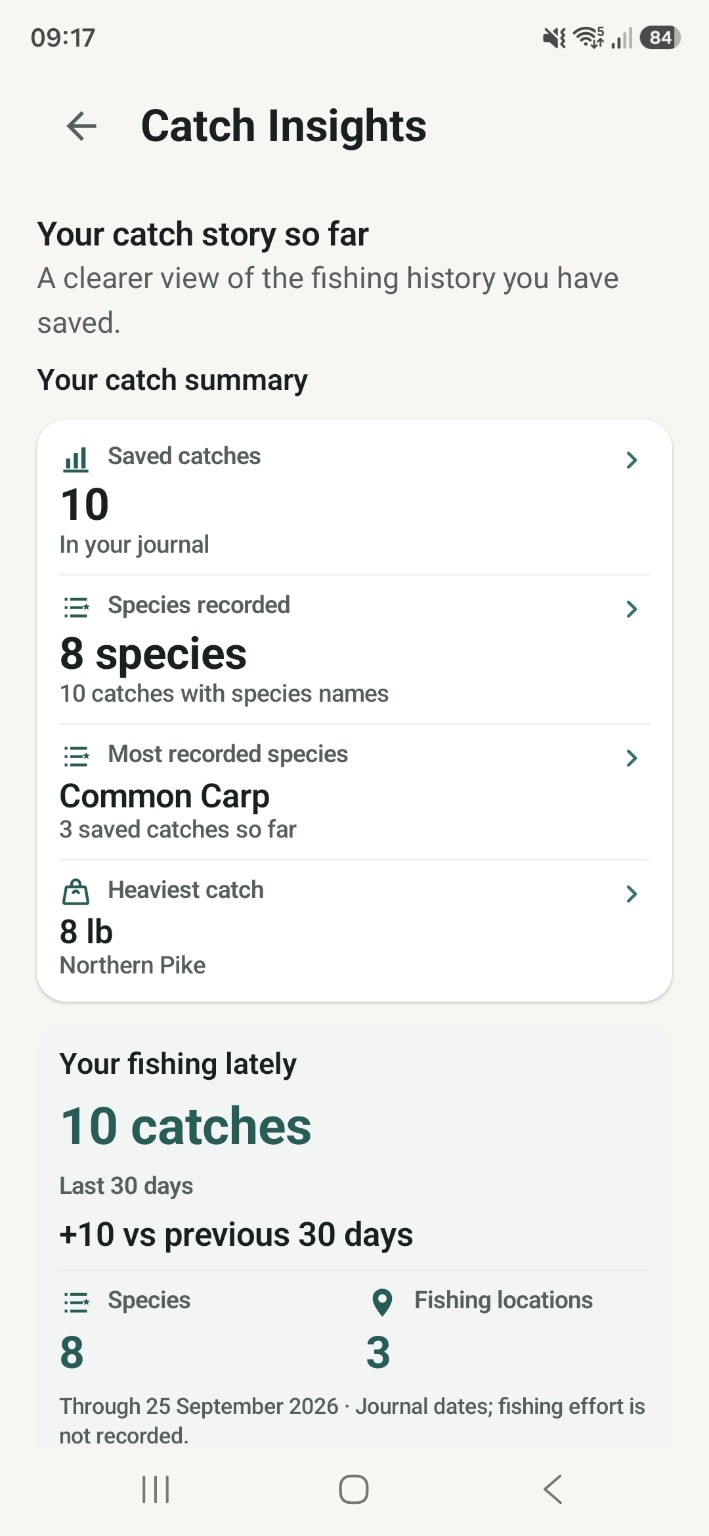
Turn your catch log into a personal record book. Catch Insights brings together your species history, recent activity and Personal Records — your top recorded catches by species.
Explore Fishing Locations and Your year so far. As your journal grows, notice early personal patterns where your saved catches contain enough information — always grounded in what you have recorded.
Insights reflect saved catches. They do not measure fishing effort, blank sessions or success rates.
Before your first entry
Yes. You can manually record a catch without a photo. Save the species and the details you want to remember.
No. Identification is optional. Enter the species yourself, or use a photo for a likely species suggestion that you can correct.
Your catch record brings together the species, date and time, location, weight, fishing method and bait, lure or fly detail. You can include a photo, too.
Yes. Journal Protection is optional. Sign in with Google and, once protection is up to date, your protected catch records and backed-up catch photos can be restored using the same Google account. You can still use CatchID without signing in.
CatchID is currently free, with no adverts or subscription.
Yes. CatchID is available now for Android from Google Play.
Ready for your next catch
Available now on Android.
Currently free. No adverts. No subscription.
Google Play and the Google Play logo are trademarks of Google LLC.